Migrate your Paprika recipes to Cookfolio in under a minute
You’ve been using Paprika for years and built up dozens, maybe hundreds of recipes? Cookfolio imports your whole collection in one go. Photos, categories, structured ingredients: it all comes along. If you’re starting from scratch with a mix of paper notebooks, files, and screenshots, here’s how to digitize your family recipes instead.
Before you start: export from Paprika
Paprika lets you export your full library to a .paprikarecipes file. The steps depend on your device:
- Mac:
File → Export→ categoryAll Recipes→ formatPaprika Recipe Format→Export - Windows:
File → Export→ category →Paprika Recipe Format→Export - iOS: Side menu →
Settings→Export Recipes→ category →.paprikarecipes→Export. Retrieve the file via iTunes File Sharing. - Android: Menu (top-left) →
Settings→Export Recipes→ category →.paprikarecipes→Export. The file lands in yourDownloadsfolder.
Get the .paprikarecipes file onto the device where you use Cookfolio (AirDrop, email it to yourself, Google Drive, anything works).
How to import your Paprika recipes into Cookfolio
-
Open Cookfolio, go to
Settings, then tap Import my recipes from another app.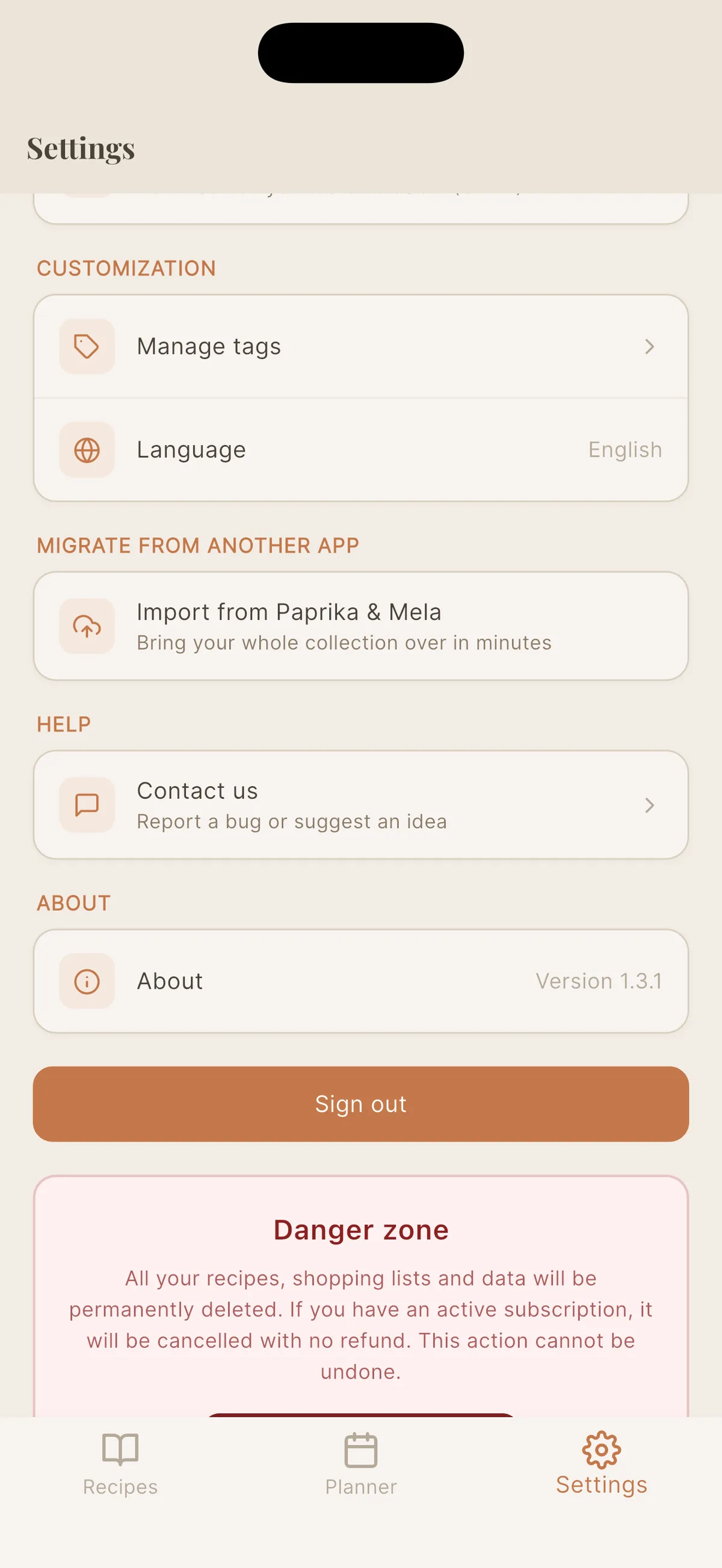
-
Pick Paprika from the list of source apps. The screen recaps the export steps, in case you have not run the export yet.
-
Select your file
.paprikarecipes. Cookfolio confirms how many recipes were detected and starts the import in the background.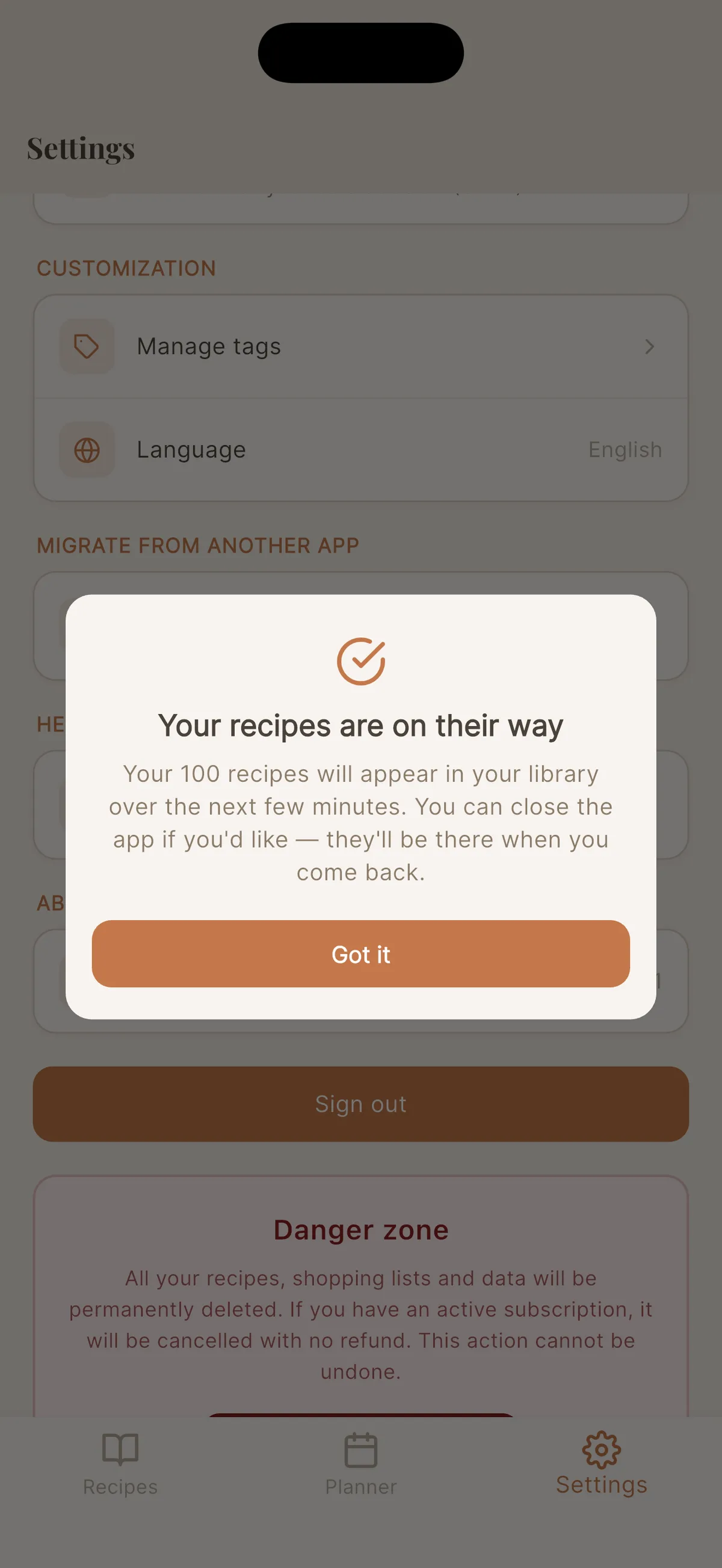
-
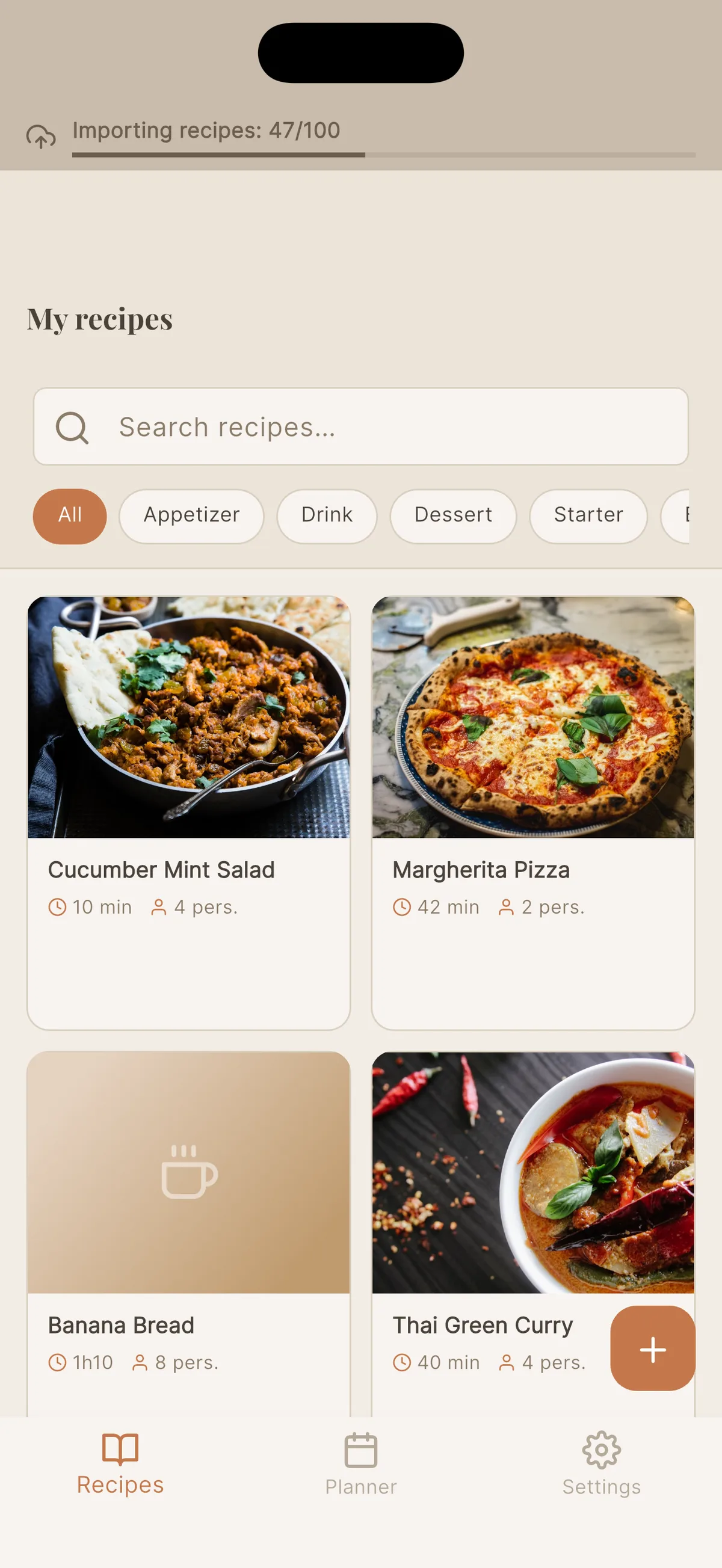
Keep using the app while it imports. A banner at the top tracks progress, and recipes appear in your library as they come through.
-
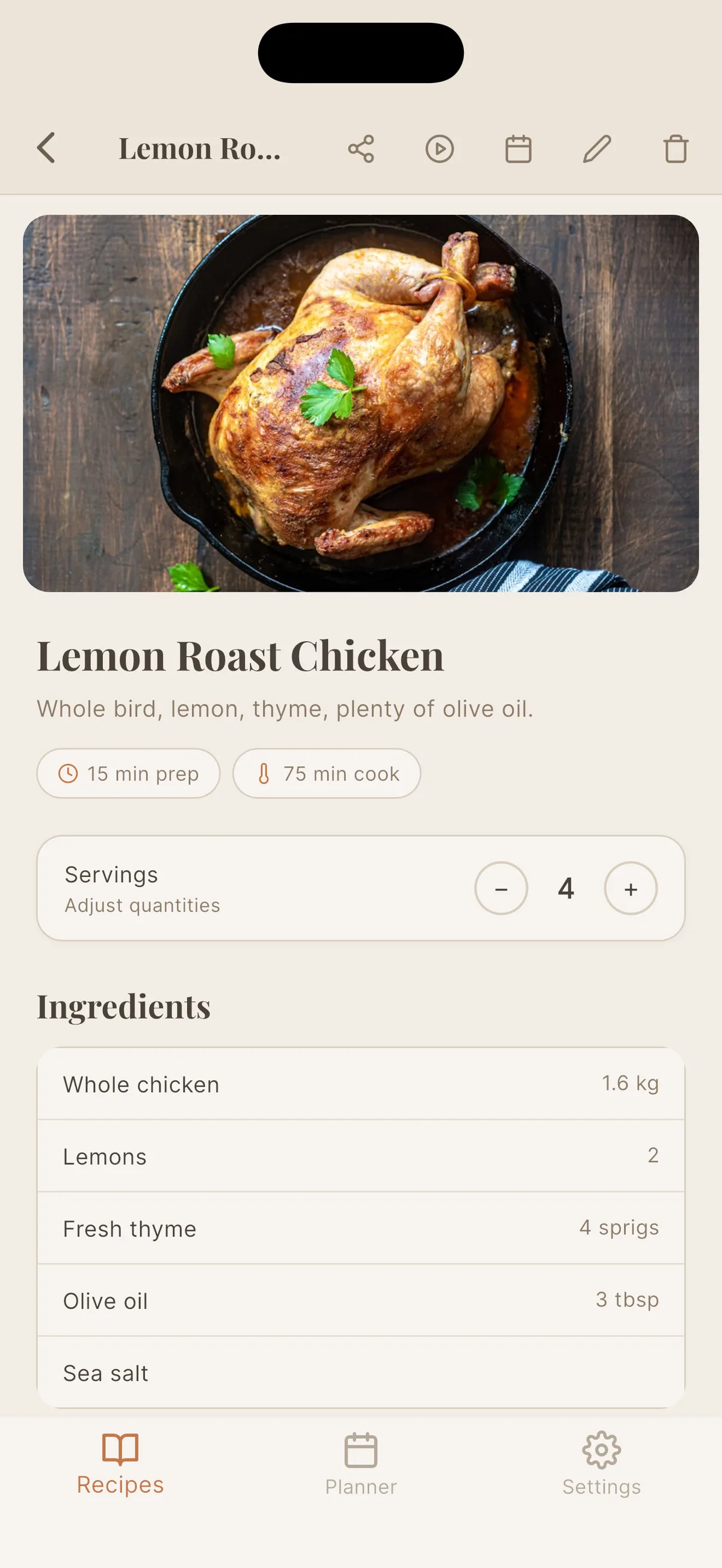
Open any imported recipe: structured ingredients, adjustable servings, photo preserved, categories converted into tags.
What gets preserved
- Photos: kept with each recipe
- Paprika categories: automatically converted into Cookfolio tags. If a category didn’t exist in your collection yet, the tag is created for you.
- Ingredients: parsed into a proper structured list (name, quantity, unit), which is what lets you adjust servings on imported recipes. It also lets a recipe saved in cups read in the measurement system you pick, Metric or US: in Metric, 1 cup shows as 240 ml, never as grams.
- Metadata: prep time, cook time, servings, notes, source
How many recipes can I import?
Up to 650 recipes per file, within a 150 MB limit. If your collection is bigger, export it in several categories one after the other: Cookfolio automatically detects duplicates and won’t import the same recipe twice.
What happens if the import is interrupted?
You can close the app while it’s running: Cookfolio finishes the work in the background, and your recipes will be waiting for you next time you open it. If your connection drops, the import resumes on its own from where it stopped, there’s no “Retry” button to tap.
What’s next?
Once your collection is migrated, you can keep adding to it without starting from scratch: import a recipe from a website by pasting a link, or from a YouTube video. Old and new recipes live in the same book, adjustable and available everywhere.
Plan required
Bulk import is included in Cookfolio’s Pro and Family plans.
Try it now
Download Cookfolio, export your Paprika collection, import in one go. Your library follows you.
Try Cookfolio for free
5 free recipes + 5 free imports. No credit card required.